Migrating to eWarehousing-Shopify v3 integration
This guide is intended for anyone who currently has a Shopify store with the eWarehousing Fulfillment App. Before following the steps in this guide, please read the Disclaimer and warnings carefully.
Step 1. Installing the app
Follow the guide to correctly install the Shopify integration.
Step 2. Disabling inventory synchronization
Log in to the Shopify Admin.
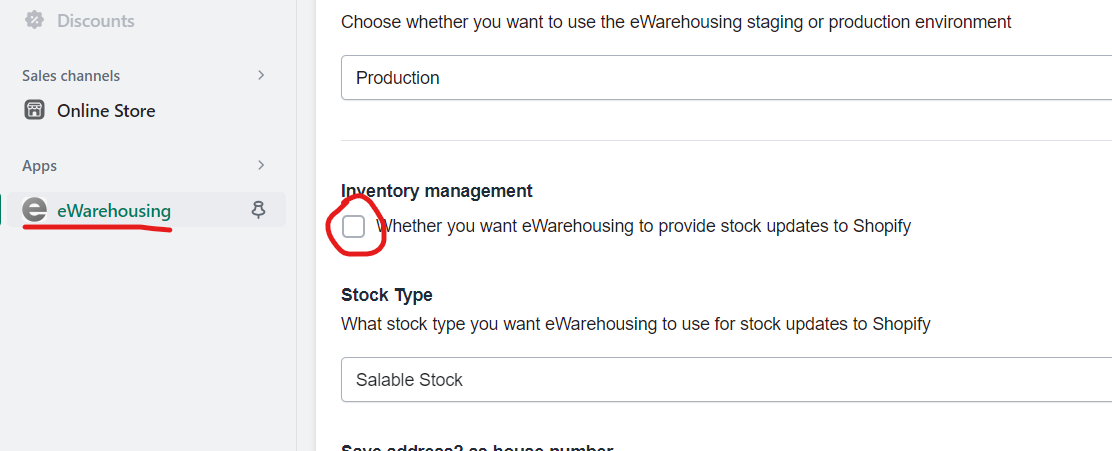
Go to Apps > eWarehousing.
Scroll down to Inventory management and disable the option.
Attached is a screenshot of the management screen with Inventory management disabled.
Step 3. Perform an inventory export
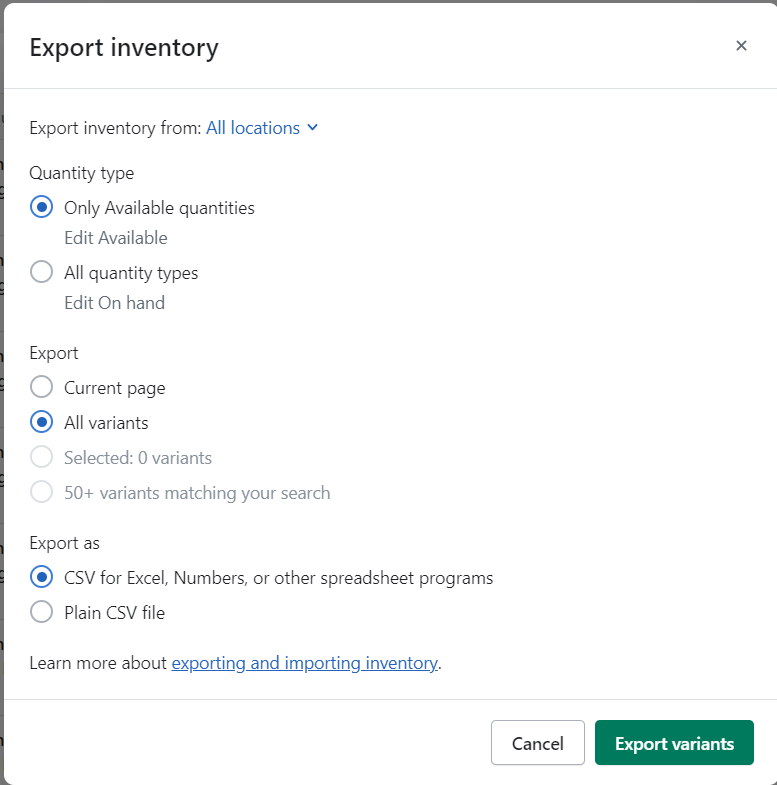
To quickly transfer all inventory from the old location to the new location, we need to perform an export that includes all inventory levels for both the new and old inventory.
Go to the Shopify Admin.
Navigate to Products > Inventory.
Click on Export.
Verify the settings and click Export variants.
Step 4. Transferring inventory
The easiest way to transfer inventory is to simply swap the two columns of inventory. In the export, there will be two fields, one called eWarehousing and another with a default name like eWarehousing Fulfillment.
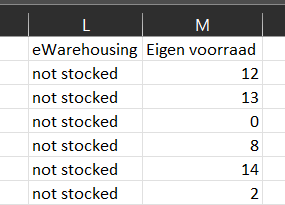
If we want to transfer the inventory to eWarehousing, we just need to switch them!
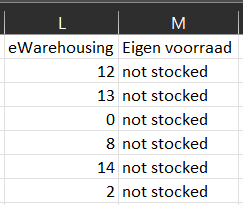
Afterward, save the file as a CSV.
Step 5. Importing inventory
Go to the Shopify Admin.
Navigate to Products > Inventory.
Click on Import.
Drag your CSV file to the upload area and press Upload.
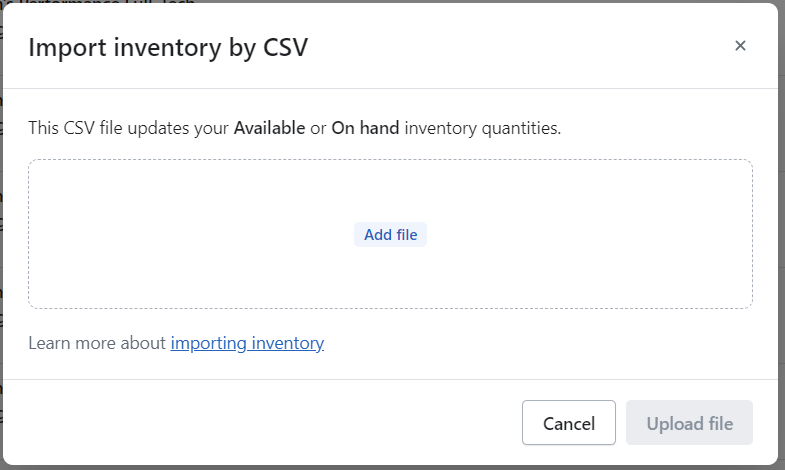
Shopify will provide a notification about the number of products that will be modified. You will receive an email after the upload indicating whether it was successful.
Step 6. Deleting the old app
Go to the Shopify Admin
Navigate to Settings > Apps and sales channels
Click on Develop apps (top right corner)
Click on the eWarehousing Fulfillment App
Uninstall the old integration
Step 7. Enabling inventory synchronization (optional)
If you want to use inventory synchronization again, we need to enable it within the app.
Log in to the Shopify Admin.
Go to Apps > eWarehousing.
Scroll down to Inventory management and enable the option.