Connecting with Shopify
Step 1. Install the eWarehousing App in Shopify
Visit the Shopify App store and search for "eWarehousing". Select the eWarehousing app and choose "Add app"
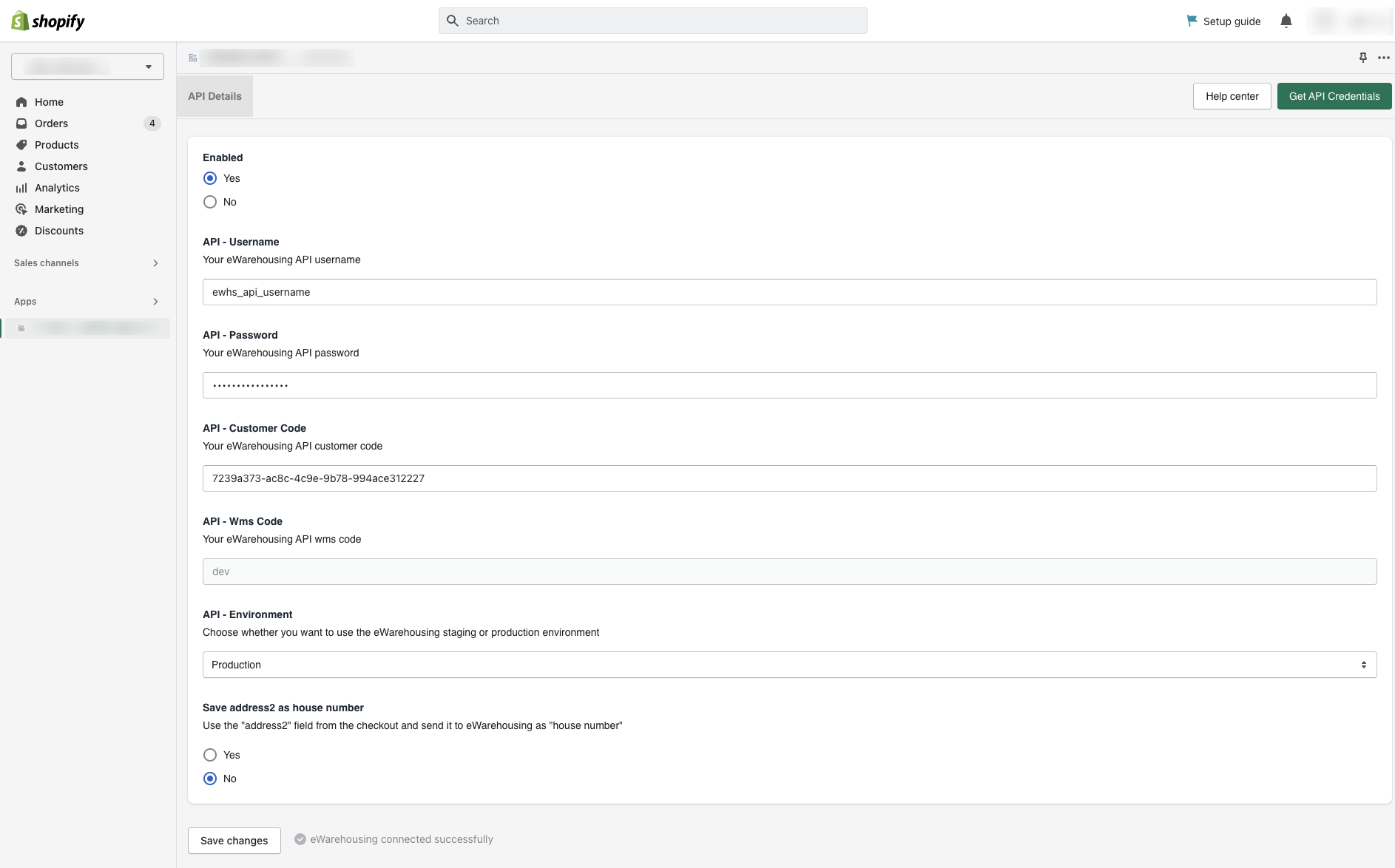
Step 2. Configure your credentials
After installing the app you will be redirected to your Shopify Backoffice.
Field | Description |
|---|---|
Enabled | Determines if the app is enabled yes/no |
API username | Your API username |
API password | Your API password |
API Customer code | Your API customer code |
API Wms code | The WMS code (automatically filled) |
API Environment | The used environment. Production is the live WMS |
Save address2 as house number | If enabled the "address2" field in Shopify checkout will be used as house number |
Step 3. Test your credentials
After saving your changes the app will automatically test if the integration is set up correctly.
If all credentials are filled in correctly you will see the following message:

Next steps
After installing the app we will automatically start processing orders and stock for products which are assigned to the eWarehousing location.
Assign products to eWarehousing
Send fulfillment requests to eWarehousing