Connecting with Prestashop
Prerequisites
Before installing the eWarehousing connection module, ensure that you have the following:
PrestaShop version 1.7 or higher installed.
Administrator access to your PrestaShop store.
Basic knowledge of PrestaShop module installation and configuration.
Step 1. Install the eWarehousing App in Prestashop
To install the module, follow these steps:
Log in to your PrestaShop admin panel.
Navigate to the Module Manager section.
Search for the eWarehousing connection module.
Click the Install button to install the module.
Step 2. Configure your credentials
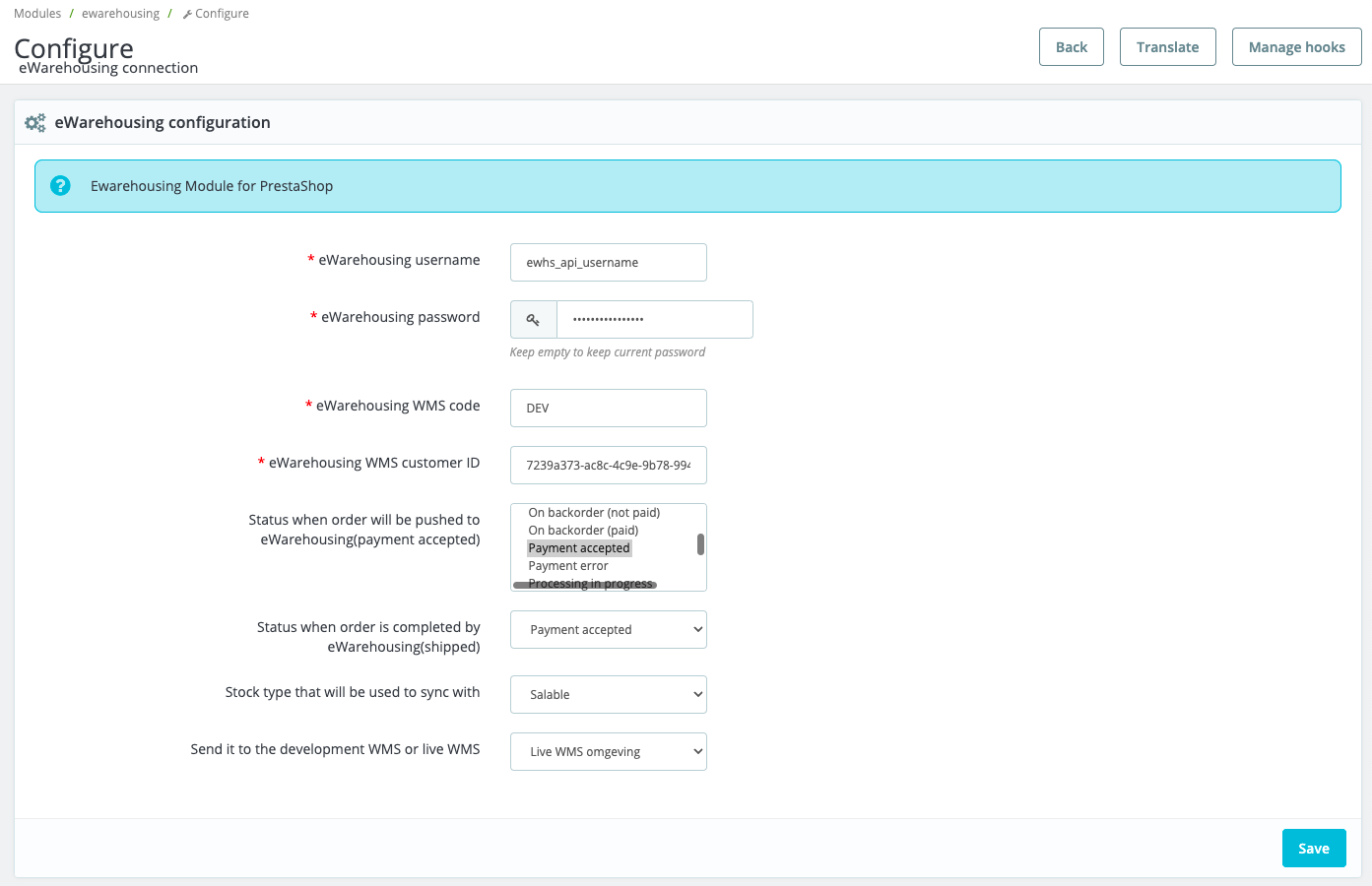
After installing the module, you need to configure it. There are several fields within the admin panel of your eWarehousing connection module that need to be filled in. These are the following fields:
Field | Description |
|---|---|
eWarehousing username | Your API username |
eWarehousing password | Your API password |
eWarehousing customer code | Your API customer code |
eWarehousing WMS code | The WMS code |
API Environment | The used environment. Production is the live WMS |
Status pushing order (select box) | This status will be used as to when a new order (or an order that has not been sent to eWarehousing yet) will be pushed to the eWarehousing WMS |
Status complete order (select box) | This status will be used as to when an order can be marked as shipped |
Stock type (select box) | The stock type that will be used to sync with the eWarehousing WMS |
Environment selection (select box) | Specify the eWarehousing WMS environment you want to send your data to |
The eWarehousing configuration screen:
Step 3. Test your credentials
After saving your changes the app will automatically test if the integration is set up correctly.
If all credentials are filled in correctly you will see the following message:
